Snapshot History & fine tune notifications
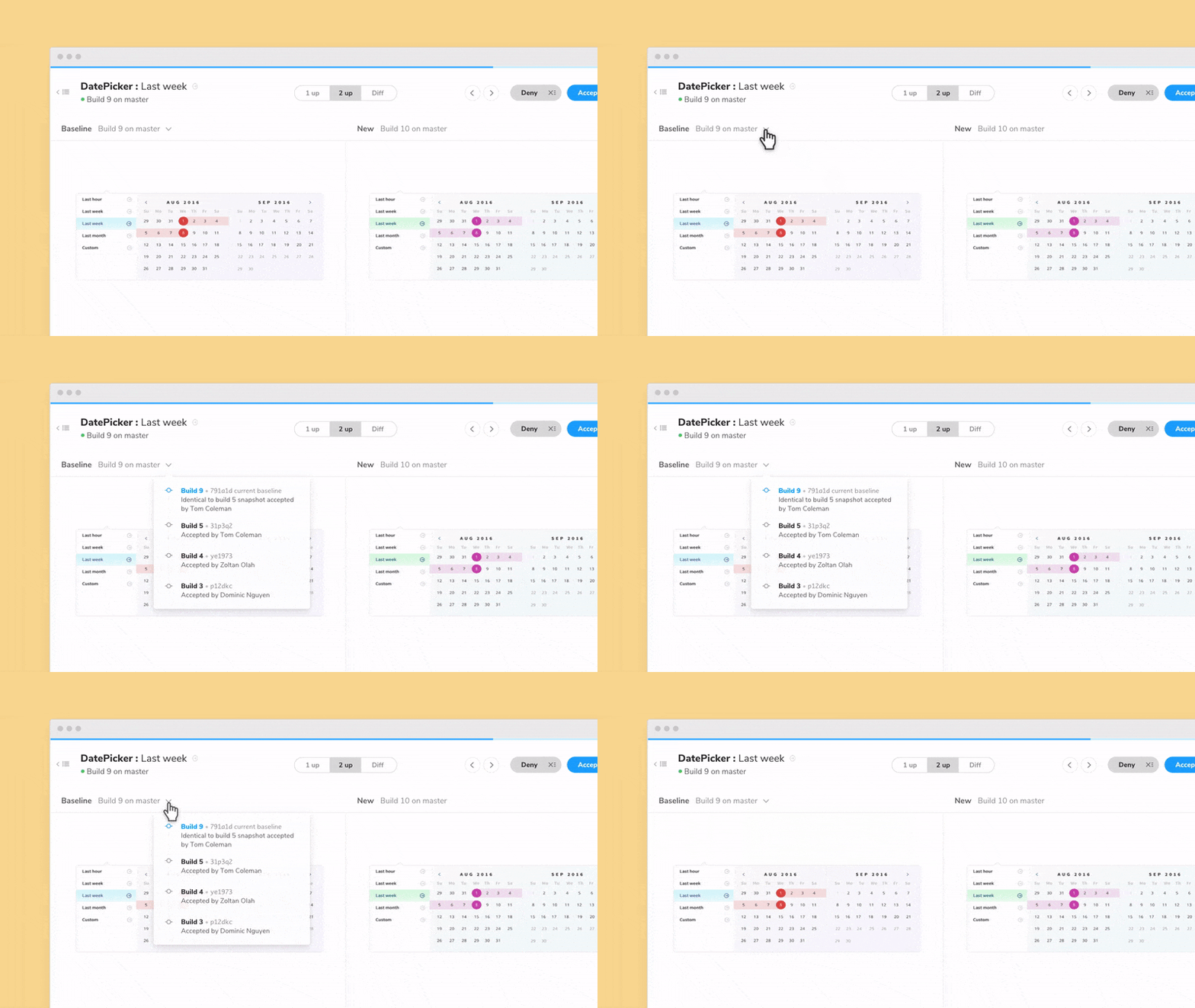
See how snapshot baselines change over time

Developers these days are often required to juggle several projects at once. It can be nearly impossible to stay abreast of updates. This release we have two features that help you keep track of all the changes in your component library.
- ⏱ Snapshot History: Get a timeline of when and how a story’s baseline changed
- 💌 Customize email notifications: Control where and when notification emails are sent
Chromatic’s goal is to save you time during visual review by presenting relevant information just in time.
⏱ Snapshot History — track baselines over time
With hundreds of stories it’s torturous to keep track of every baseline manually. That’s why we made Snapshot History, a timeline that shows you when your story’s baseline changed.
Baselines often change on fast-moving teams. The baseline you accept today may be updated by your colleague tomorrow. This can leave folks wondering “what’s the source of truth?” and “who accepted this?!” Now you find out more baseline information while you’re reviewing.
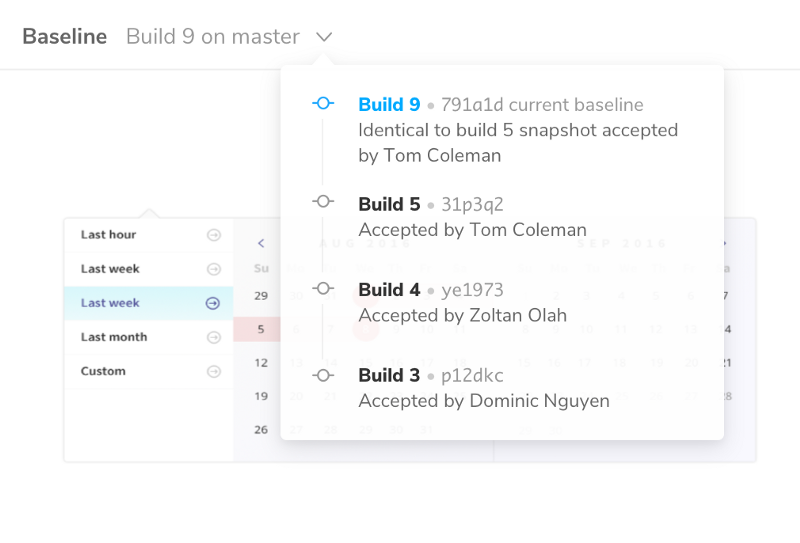
- ✅ Current baseline: Find out what the current baseline is based on
- 🗓 Baseline changes: Find out the builds and commits that the baseline was updated
- 👩💻 Baseline reviewers: Find out who on your team accepted the baseline so you can loop them in if you have questions
We hope that Snapshot History helps you review UI changes with confidence.
💌 Customize email notifications
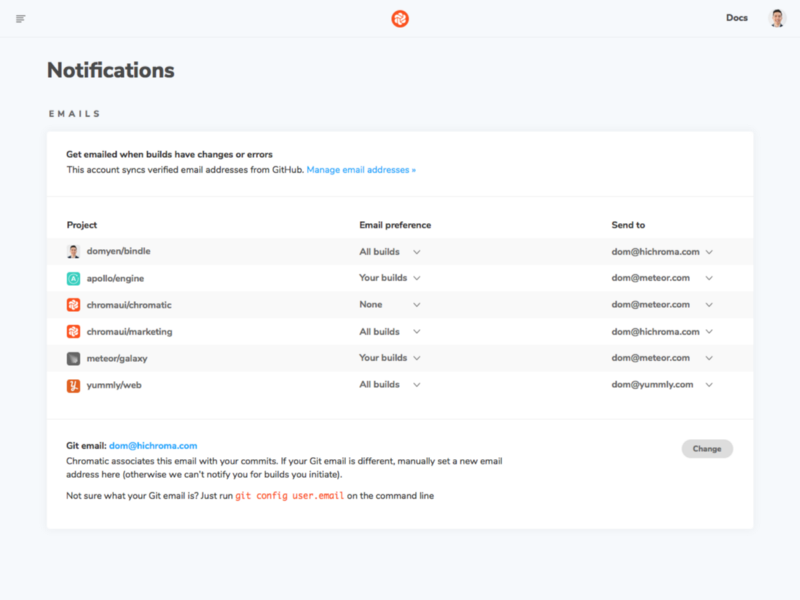
Fine tune where Chromatic projects send emails. Starting today you’ll be able to choose where notifications get sent from email addresses you’ve already added to GitHub, Bitbucket, and GitLab.
Email is still the quickest and easiest way to reach people. We initially thought teams would only use Chromatic in one company so you could only get emails at one address. But our customers told us they use Chromatic for a variety of projects both at work and on the side. We listened –the new notification page gives you more control over how you get emailed.
🔄 Refresh permissions
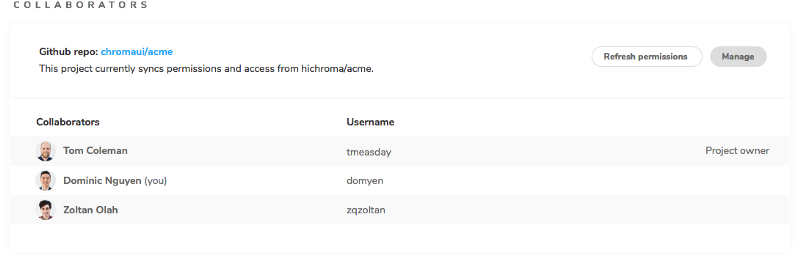
Click to manually update permissions from GitHub, Bitbucket, or GitLab. You’ll find the new “refresh permission” button on the account settings and project manage screen.
Chromatic automatically checks a users’ permissions with the provider (GitHub et. al) whenever that user tries to access your Chromatic project. However, if a member recently left your team, they may never need to access Chromatic again. We’ve added a button that re-syncs the permissions, removing any such “orphaned” users from the UI.
Bug fixes and improvements
📦 storybook-chromatic 1.2.2
The updated package improves stability and allows writable polyfills. This is handy if you use a third-party component library that already ships with polyfills.
Chromatic by Storybook maintainers
Chromatic is built for Storybook by Storybook maintainers. Our goal is to help you ship bulletproof UI components with confidence.